Build your own app in an afternoon
(without writing a single line of code)
Learn to talk to AI, build real features, and fix what breaks — so you go from app idea to working screen in about 2 hours.
(Without spending $10,000 on a developer or 40 hours on tutorials that assume you already know what an API is)
No more hiring a developer and hoping they build what you actually meant
diy to success
Stop stressing over which tool to pick
You don't need to evaluate 15 platforms before you start. I've built 11 iOS apps in 10 months using the same stack. Learn the tools that work — and skip the ones that waste your time. (Sorry, AI influencers)
Go from idea to working screen in hours, not months
Overthinking kills apps. Every lesson is a mini lab where you write a prompt, see it build in real time, and get graded by AI. You'll walk away with something you built yourself — not a mockup. A working screen.
Know how to fix it when it breaks
Every app breaks. Every single one. The difference between people who ship and people who quit is knowing what to do next. The Disaster Simulator hands you broken apps on purpose so you stop being afraid of error messages. You'll love this!!
I learned to build from zero. Now I'll help you do it faster.
I'm Nina Kolari. I started building at 50 with no coding background, so I know exactly how confusing the first steps can feel.
You'll walk away knowing how to build your own app — or finally start the one you've been sitting on… fast
The same practical approach I'll teach you helped me to:
- Ship 11 iOS apps in 10 months — starting from zero
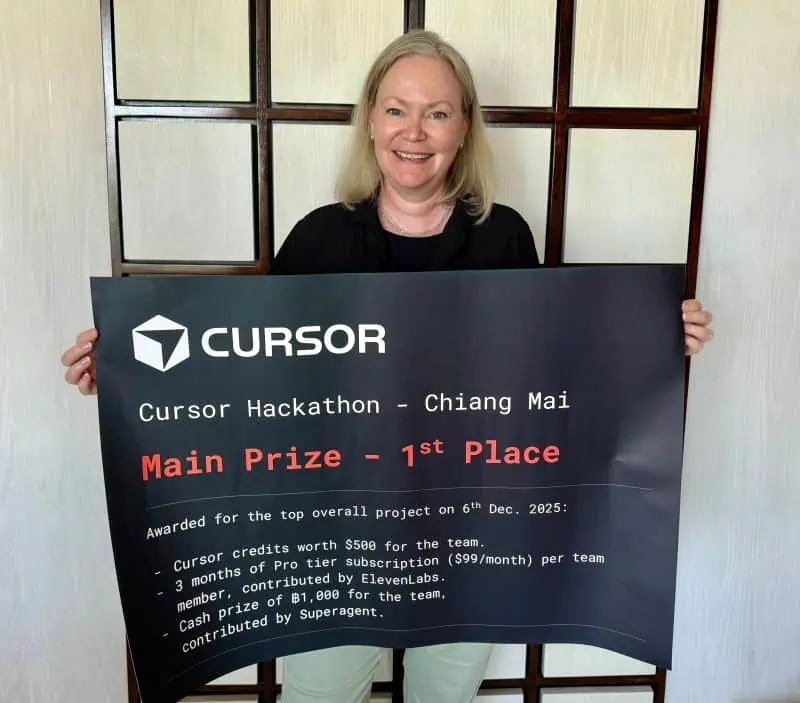
- Win a hackathon with an app I built solo against 27 competing teams
- Finalist in an invite-only mobile app competition (winner announced June 2 🤞)
- Teach 500+ non-technical professionals to build their first apps
- Go from “I don't know what Xcode is” to having a portfolio of live apps in the App Store
- I'm still not great at coding! But I'm great at building products and orchestrating AI to build for me
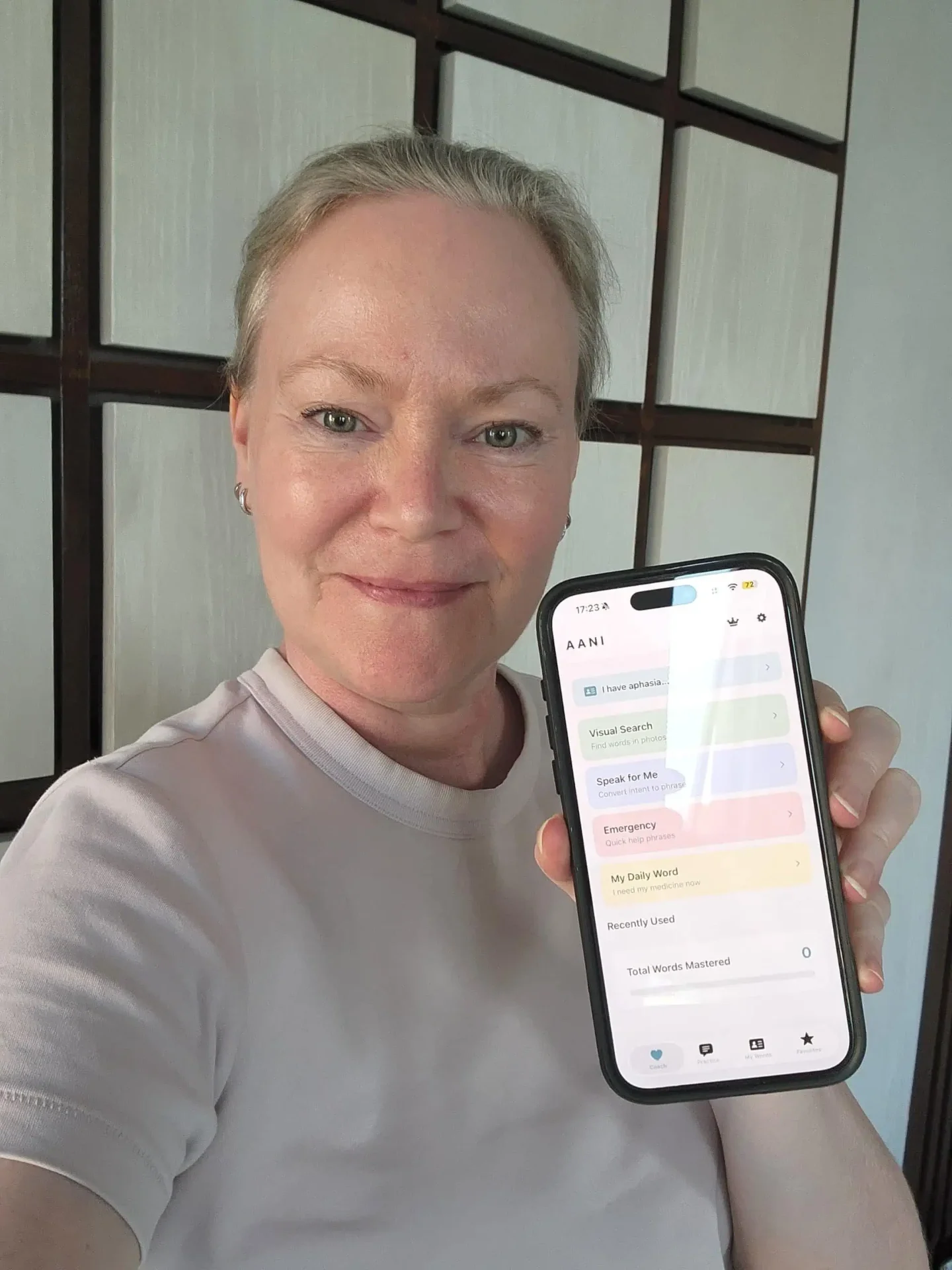
a few of the apps I've shipped →





Building an app in 2026 feels impossible
You've had an app idea for months. Maybe years. Every time you sit down to start, you open Google and drown in jargon, tools, and tutorials that assume you already know what you're doing.
You've tried YouTube. You've tried ChatGPT. You've tried a no-code tool that worked until it didn't. Every path ended the same way — you closed the laptop and didn't open it for a week.
You're not lazy. You're not stupid. Nobody built a starting point for someone like you.

BUT YOU'RE STUCK.
Maybe you've been telling yourself you'll "figure it out this weekend" for 6 months straight.
Or you asked a developer friend for help and they lost you in the first 30 seconds.
Or you spent a full Saturday on a tutorial and ended up with something you couldn't change, couldn't fix, and couldn't explain.
Tutorial paralysis has you trapped
Should you learn Swift? React? Flutter? Use Bubble? Use Lovable? Use Cursor? Watch the 4-hour course or the 45-minute one? Start with the frontend or the backend?
SO YOU DO NOTHING — all while people with less experience ship apps every single day.
And the worst part? You know you could do this. You've built businesses, managed teams, served clients. You're not a beginner at everything. You're a beginner at this one thing.
And nothing out there was built for that starting point…
Don't learn to code. Learn to build.
Most tutorials teach backwards. They start with syntax, frameworks, and tools — stuff developers already know.
This course starts with the thing you're already good at: knowing what your users need. Then it teaches you the one skill that's missing — how to tell AI what to build, check if it worked, and fix it when it breaks.
Talk to AI like a teammate
Not copy-paste prompts from Reddit. Real, repeatable conversations.
See your app take shape in real time
Live previews, not theory. Watch every change land instantly.
Break things on purpose
So you stop being afraid of error messages. They're just clues.
Ship something real
Not a tutorial clone — YOUR app idea, live and in your hands.
What happens when you learn to build your own apps?
Everything changes…
You stop waiting for a developer
No more $10,000 quotes. No more 3-month timelines. No more building something you don't understand and can't change yourself.
You stop being afraid of the tech
Error messages aren't scary when you know how to read them. The Disaster Simulator trains this out of you in Module 4.
From "I have an idea" to "I have an app"
The gap between those two statements isn't talent. It's not money. It's knowing the steps. This course is the steps.
The course that gets you there in one afternoon.
How it works
Not passive reading. Active building. Every lesson is a mini lab where you write prompts, see instant results, and get scored by AI.
Theory on the left. A live, interactive preview of YOUR app idea on the right.
Write a real prompt. Our AI grades it against a rubric and tells you exactly what's missing.
Quick knowledge checks, then a copy-paste build challenge to try in Lovable.
Face a broken app. Diagnose it. Fix it with a prompt. Earn XP and climb the leaderboard.
What you'll learn
Four modules, 21 lessons. Each one adapts to the app you're building.
Prompting Basics
Talk to AI like a teammate. Get what you actually want.
- What is vibe coding?
- Writing clear prompts
- Scope small, iterate fast
- The one-page spec: design the core loop
- Prompt anatomy: a template you'll reuse
- Steering mid-build (when the AI goes sideways)
Design & UI
Pick a vibe, lock the tokens, ship something pretty.
- Pick a design direction
- Color & typography that work
- Layout & rhythm
- Design tokens, not hex codes
- Responsive without pain
Backend & Data
Save things. Log people in. Don't leak data.
- When you need a backend
- Users & auth basics
- Storing data safely
- RLS, in detail
- Server functions for everything sensitive
Debug & Ship
Read errors, fix fast, publish it to the world.
- Reading errors without panic
- Asking for fixes that stick
- Publishing & sharing
- Revert vs. patch — when to undo
- Post-ship: watching, fixing, growing
Live Mirror
Every lesson shows your app idea in a live, split-screen preview. Change a color token and watch the whole interface re-skin in real time.
Disaster Simulator
Fix deliberately broken apps — infinite re-renders, RLS lockouts, style cascades. AI grades your fix. Learn to debug under pressure.
Your App, Your Lessons
Pick your Practice App — a task tracker or a simple CRM. Every lesson body, example, practice drill, and build prompt is rewritten for your choice.
Everything a $3,000 bootcamp teaches you. None of the cost.
We built this because we believe the barrier to building software should be your imagination, not your wallet. Every feature — live previews, AI grading, personalized tracks, the disaster simulator — is included. No upsells. No catch.
Daily streaks
Build momentum. Keep your streak alive. Compete with yourself.
XP & levels
Earn XP for every quiz, practice prompt, and build you complete.
Module badges
Complete a module, unlock a badge. Finish all four, earn the Shipper badge.
fair question
Can't I just use ChatGPT?
You can — and you should use AI. But an empty chat box doesn't tell you what to build first, whether your prompt is good enough, or what to do when the result breaks.
ChatGPT is a tool. Vibe Coding 101 gives you the method.
- A clear order of operations, so you stop jumping between random tutorials and prompts.
- Hands-on mini labs where you build, test, and see the result — not just read an answer.
- AI grading that checks your prompt against specific criteria and tells you what is missing.
- Broken apps to practise on, so an error message no longer sends you back to square one.
- Product thinking that helps you choose the right first version, not just generate more features.
The goal isn't to replace ChatGPT. It's to make you much better at using it to ship something real.
Build your own app in an afternoon
let's go
Finally go from app idea to working screen… in about 2 hours!
Vibe Coding 101
One-time payment · ship in an afternoon
21 interactive lessons built around a real app
Pick your Practice App — a SaaS CRM / lead tracker or a to-do app.
Personalized for the app you pick
Every lesson body, example, practice drill, and build prompt is rewritten for your choice.
AI-graded prompt practice
Write prompts, get scored instantly, know exactly what to fix.
Disaster Simulator
Deliberately broken apps you diagnose and fix. Learn to debug.
Lifetime access to all materials
Lifetime updates
Lifetime access · Lifetime updates · 14-day conditional refund
Hire a Developer
…and that's just to start
$5,000+ to start
Before a single line of code is written. Scope creep pushes it higher.
4–8 weeks to ship
Briefs, revisions, back-and-forth. Your idea sits in a queue.
Every change costs more
Want to tweak a button? Open a ticket. Pay the hourly rate. Wait.
Plus ongoing maintenance fees
Questions? Answers.
Can't I just use ChatGPT?+
ChatGPT can give you an answer, but it doesn't give you a proven order to learn in, hands-on practice, clear grading, or the confidence to diagnose what went wrong. This course teaches you how to use AI coding tools well — from choosing the right first version through fixing the inevitable errors — so you can turn the conversation into a working product.
Do I need coding experience?+
No. If you've used ChatGPT, you have enough skill to start.
What is vibe coding?+
Building apps by describing what you want to AI instead of writing code yourself.
What tools do I need?+
A browser and any AI coding tool. Lovable has a free tier if you're starting from scratch. Cursor is another popular option. The skills you learn work with any AI coding tool.
How long does it take?+
About 2 hours. Lifetime access — go at your own pace.
Is this different from no-code tools like Bubble?+
Yes. No-code platforms limit you to what they allow. Vibe coding uses AI to generate real code — full control, no coding required.
What if I don't have an app idea?+
Pick one of two Practice Apps — a SaaS CRM / lead tracker or a to-do app. Every lesson adapts to your choice.
Can I get a refund?+
14-day conditional refund: refundable if you've completed 3 lessons or fewer. See our refund policy for details.
Your first app starts in 5 minutes.
No account. No credit card. No "schedule a demo." Just pick the app you want to build and start your first lesson. The AI will meet you exactly where you are.
Already taken a lesson? Resume where you left off →